
Building Financial Calculators for AI Conversations
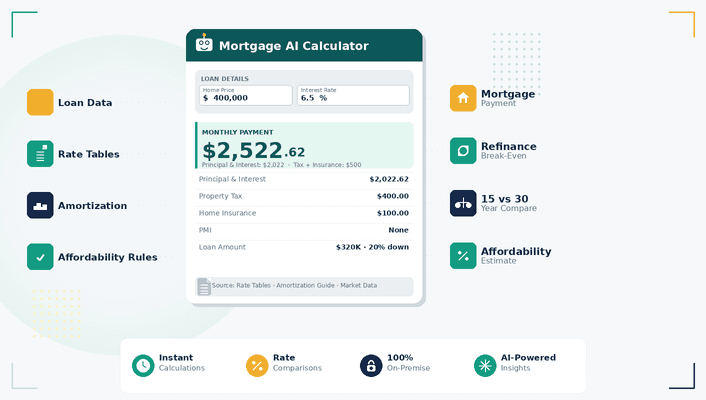
Building Financial Calculators for AI Conversations
Financial calculators are no longer limited to static web pages.
We’ve been building a new generation of financial tools designed to work directly inside AI conversations through MCP integrations, interactive widgets, APIs, and conversational interfaces.
Instead of navigating through multiple pages and forms, users can now ask questions naturally, adjust assumptions in real time, compare scenarios, and continue into the full application experience when needed.
From Static Calculators to Conversational Financial Tools
Traditional financial calculators were built for web navigation.
AI-native calculators are different.
Users can:
- ask questions conversationally
- modify assumptions dynamically
- compare financial scenarios instantly
- continue calculations across platforms
- interact with structured financial widgets directly inside AI assistants
This changes how financial tools are discovered and used.
What We Built
Mamble Calculators currently includes 21 financial calculators covering:
- mortgage payments
- refinancing analysis
- debt-to-income calculations
- affordability estimation
- APR analysis
- PMI estimation
- amortization schedules
- buydown analysis
- loan comparisons
- buy vs rent analysis
- investment property cash flow
- DSCR calculations
- ROI analysis
- cap rate calculations
- extra payment modeling
- and additional lending-focused workflows
The same calculation engine powers:
- the web application
- MCP tools
- interactive widgets
- OpenAPI integrations
- AI assistant experiences
MCP and AI Assistant Integration
Mamble Calculators uses the Model Context Protocol (MCP) to expose structured financial tools directly to AI assistants.
This allows assistants to:
- call calculators dynamically
- render interactive widgets
- adjust calculation inputs
- compare scenarios
- continue users into the full application experience
Technical documentation:
calculators.mamblellc.com/mcpdoc
Continuing Beyond the Conversation
Some financial workflows require more than a single response.
Users can continue from AI conversations into the full Mamble Calculators platform for:
- expanded calculator interfaces
- interactive parameter adjustments
- educational financial guides
- additional analysis tools
- scenario exploration
Platform:
Learning Center and Educational Content
In addition to interactive calculators, Mamble Calculators includes a growing learning center focused on mortgage, lending, refinancing, and financial planning topics.
The learning center provides:
- educational guides
- calculator walkthroughs
- mortgage and refinance explanations
- financial planning resources
- lending-related articles and comparisons
Learning Center:
calculators.mamblellc.com/learn
AI Assistant Inside the Calculator Experience
Mamble Calculators also includes an embedded AI assistant directly inside the calculator experience.
The assistant helps users:
- understand financial terms
- explain calculation results
- clarify lending concepts
- interpret financial ratios and metrics
- navigate calculator workflows
- understand assumptions and benchmarks used in calculations
This creates a more guided and educational financial planning experience directly inside the application.
The Direction We See
We believe financial software is gradually shifting from isolated web pages toward AI-invokable capabilities.
Calculators are becoming:
- conversational
- interactive
- portable across interfaces
- connected to structured AI workflows
This is still early, but the direction is becoming increasingly clear.